I’ve scanned thousands of old images over the years that are now archived online either at Amazon or Google. I entertain myself from time to time by browsing through them and downloading a few of interest that I had forgotten about.
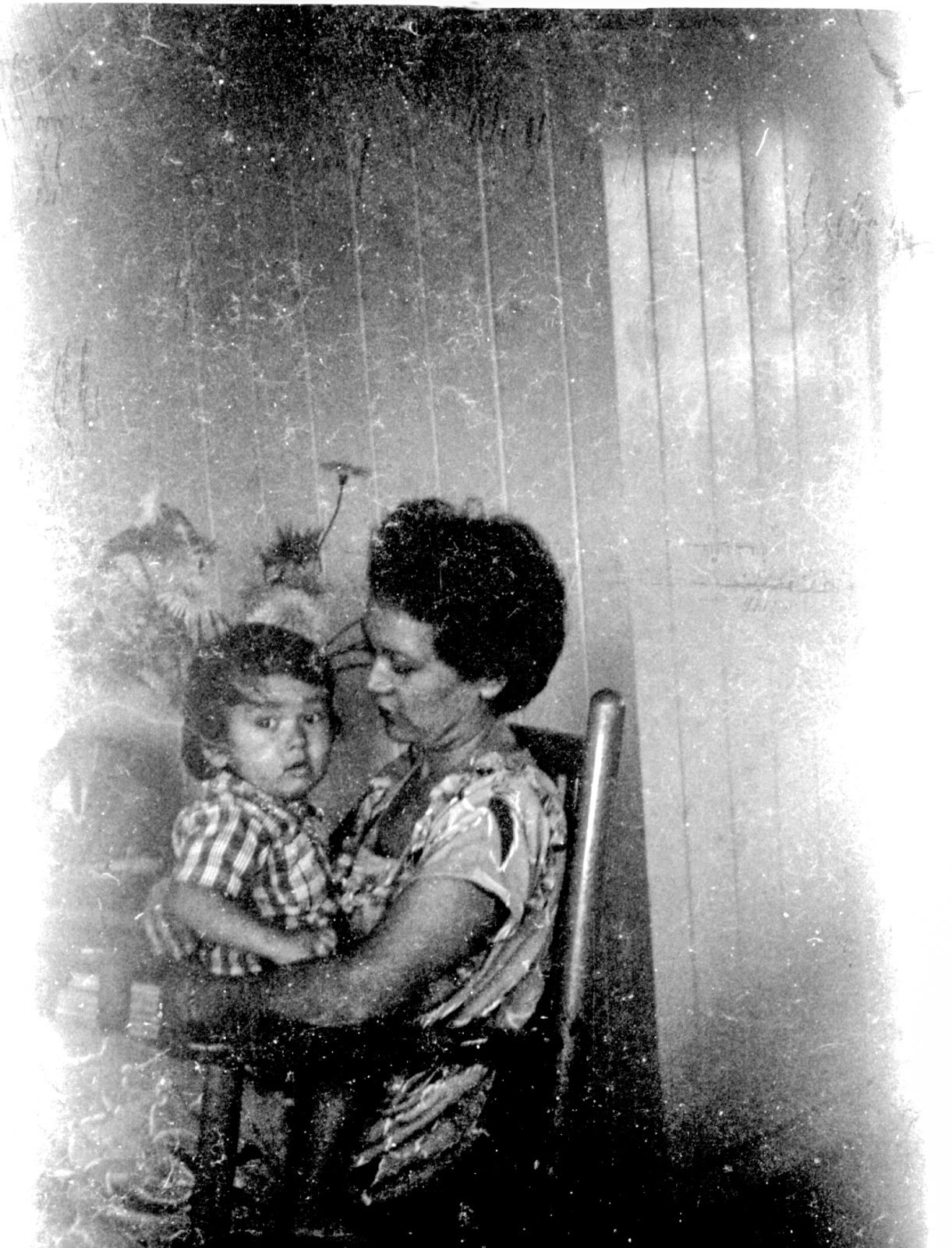 This morning I spotted this oldie of my mother holding me on her lap. According to a notation, it was taken sometime in 1949. As you can see, the photo was seriously damaged in storage for some seven decades. From its condition, I’m guessing it was made from a B&W negative that had been mistreated over the years.
Another guess is that it was taken at my grandparents’ home in Waipahu during a family visit to that side of the island. My 2nd birthday, perhaps?
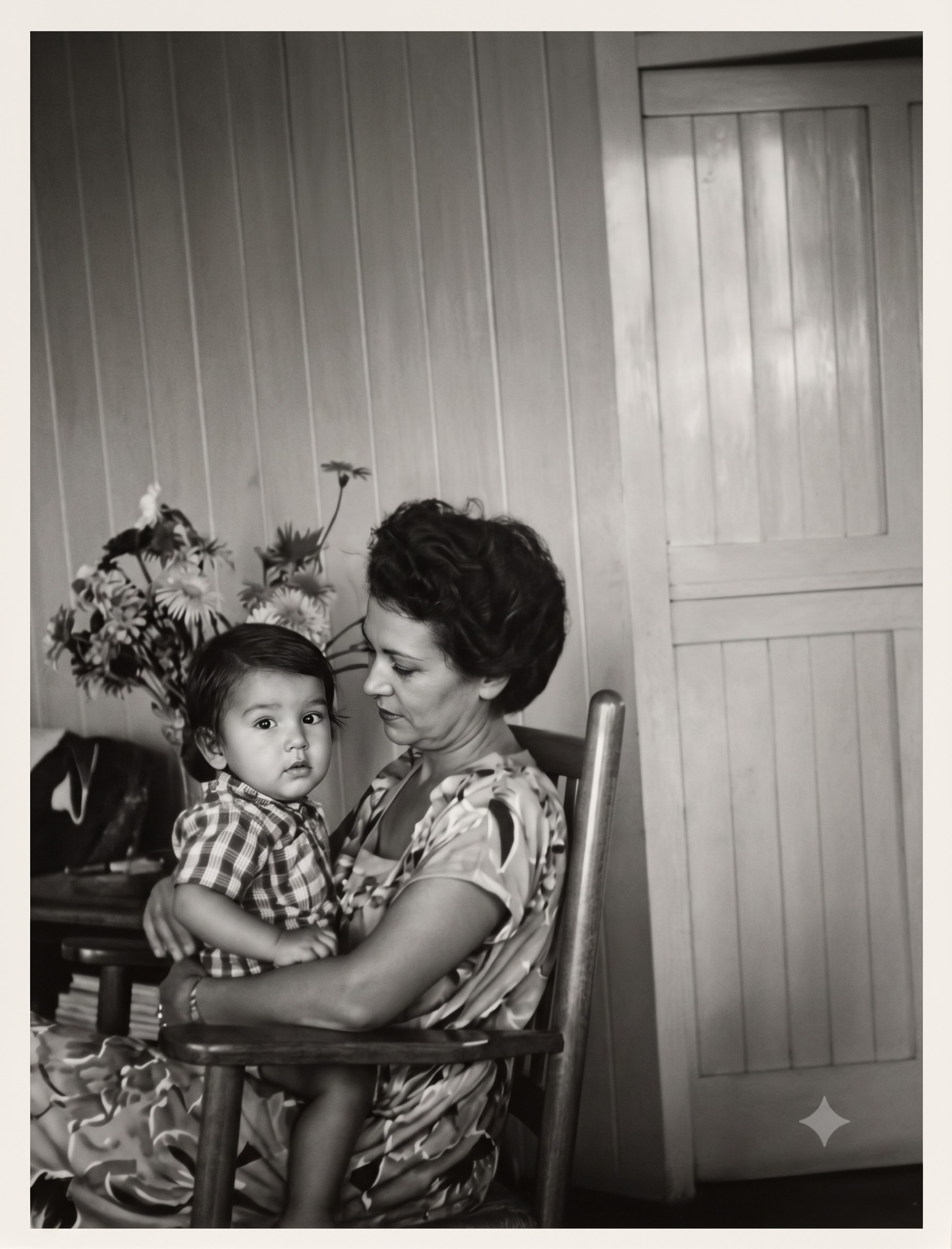
After trying to clean up the damage using traditional photo software, I decided to give AI a try. For this, I turned to Google’s Gemini. My instruction was simple. Create a clean image from this old photograph.
It only took a few seconds to produce this pretty amazing result.
Of course, it raises questions. Which photo is more “authentic”? Although, in this case, I don’t know whether that matters. The result speaks for itself.
Discover more from i L i n d
Subscribe to get the latest posts sent to your email.